StoriesDown – Instagram Story Downloader
Save Instagram stories, highlights and reels as MP4 or JPG. Enter a username, preview what is there, download what you want. No account.
Original MP4 and JPG filesNo Instagram loginFree, nothing to install
What you can save with StoriesDown
StoriesDown: download Instagram stories before they expire
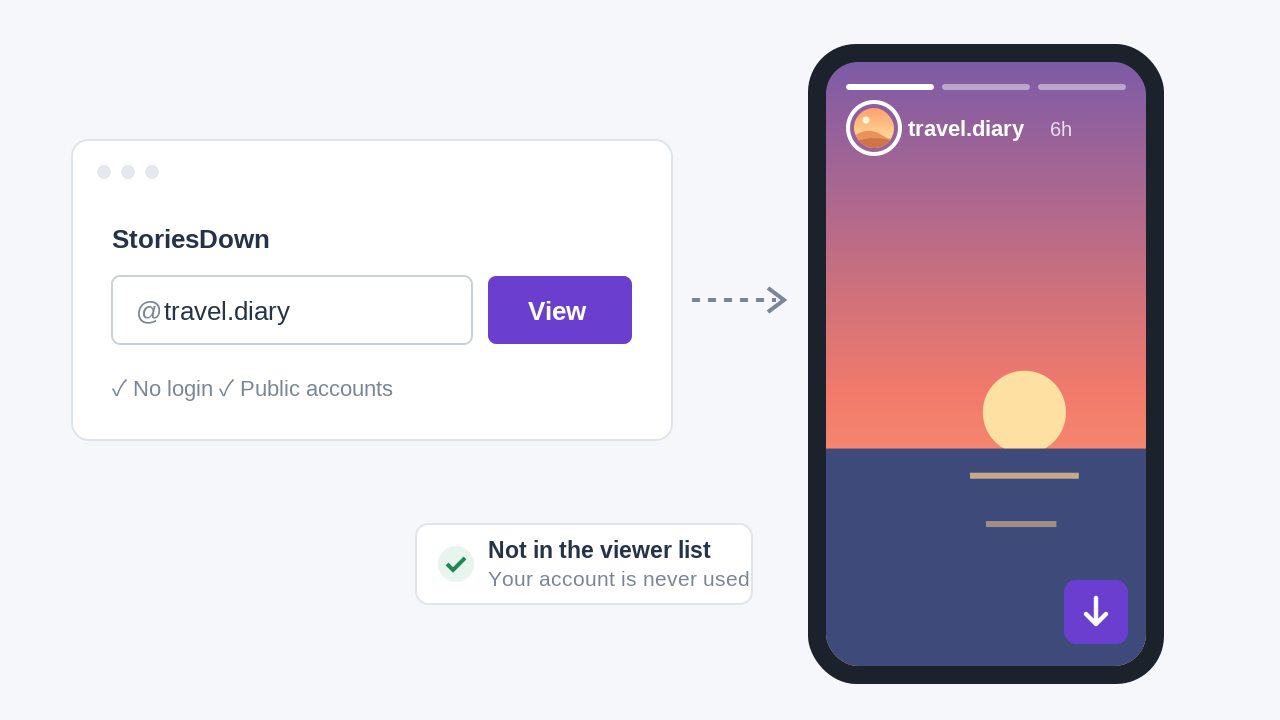
StoriesDown is a free Instagram story downloader that runs in your browser. Type the username of a public account and every current story shows up with its own download button. The file you get is the one Instagram serves, MP4 for video and JPG for photos, at the size it was uploaded. Highlights, reels and post photos save the same way.
It doubles as an Instagram story viewer: you can watch everything before you decide what to keep, and since you never sign in to Instagram here, your name is not added to the owner's viewer list.
In short: no login, no app, no browser extension and nothing to pay. It works on iPhone, Android, Windows, Mac and Linux in any current browser.
How to download Instagram stories with StoriesDown
- Copy the username. Open Instagram, or a link someone sent you, and copy the account name (for example natgeo) or the full profile link. Both work.
- Paste it above. Put it in the search box at the top of this page and press View. The @ sign is optional.
- Preview. Stories open first. Tap one to check it in the player, or switch to Highlights, Posts or Reels.
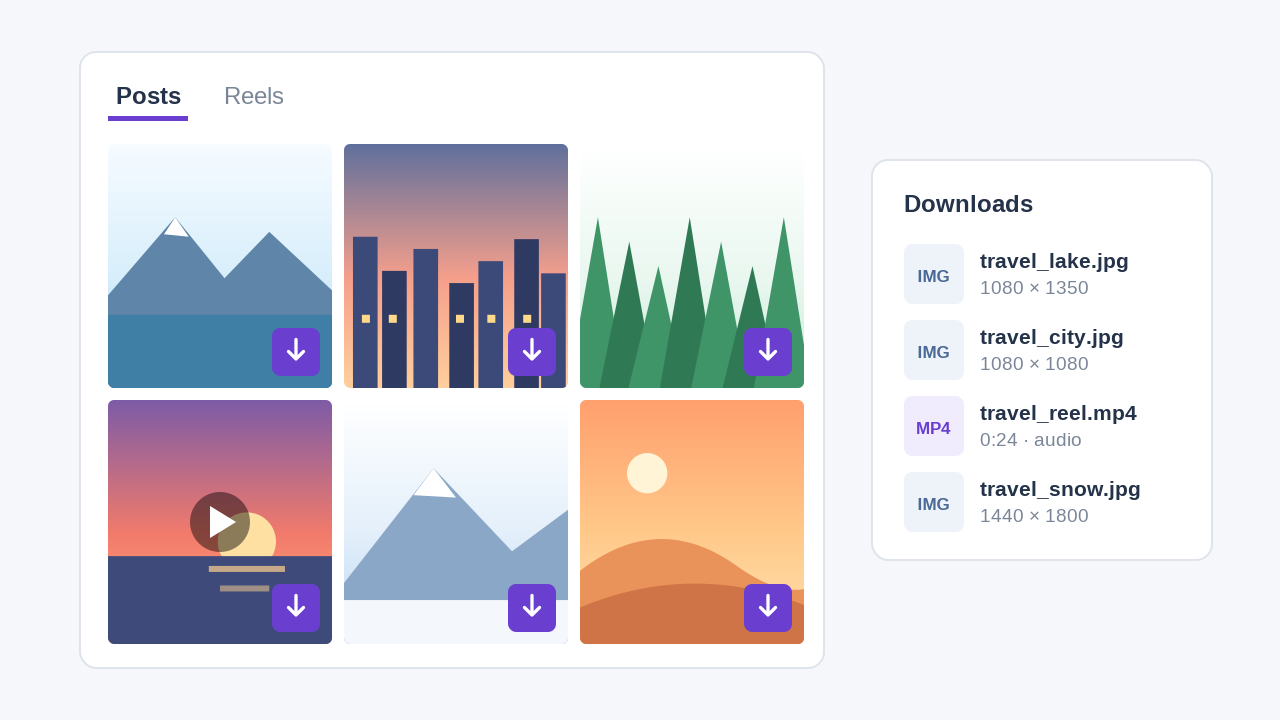
- Download. Press the purple download button on a tile to save that file, or Download all to take every story at once.
What you get
- Original-quality files. Videos save as MP4 and photos as JPG, at the resolution Instagram stores them, with no watermark.
- A countdown on each story. Live stories show the hours and minutes left before Instagram removes them.
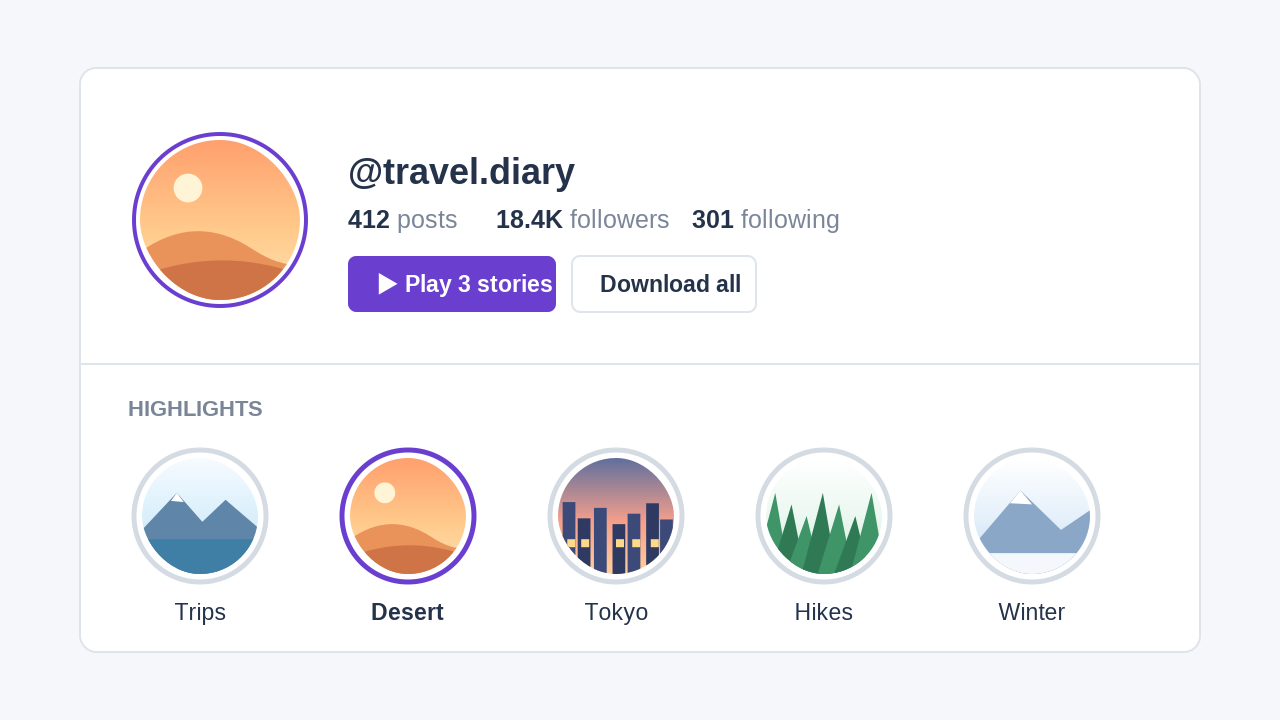
- Highlights, posts and reels. Everything on a public profile in one place, including carousel posts with several photos.
- Anonymous by default. Your Instagram account is never used, so nothing you watch or save shows up in anyone's story viewers.
- Save all at once. One button downloads every story on the profile, one file after another.
- Full-size profile picture. Open or save the profile photo in a larger size than the small circle in the app.
- Tagged accounts. If a story mentions other accounts, a tag button lists them and opens their stories in one tap.
What you can download from Instagram
Each type of content StoriesDown handles, and what you end up with on your device:
| Content | File | Notes |
|---|---|---|
| Stories | MP4 / JPG | Only during the 24 hours the story is live. |
| Highlights | MP4 / JPG | Available until the owner removes them. |
| Posts and carousels | JPG / MP4 | Each photo of a carousel saves as its own file. |
| Reels | MP4 | With the original sound. |
| Profile picture | JPG | Larger than the app shows it. |
| Private accounts | — | Not available. Only approved followers can see them. |
Does the account owner know you watched?
No. Instagram adds a name to the viewer list when a signed-in account opens a story. StoriesDown loads the story through its own server and shows it to you on this page, so no Instagram account of yours takes part and nothing is added to the list.
We keep our side quiet too. Searches are not linked to you, we never ask for an email, and the recent usernames under the search box are stored only in your own browser. Remove any of them with the × next to the name.
What StoriesDown never does
- Ask for your Instagram password or any other login
- Follow, like, comment or send messages for you
- Notify the account you looked at
- Show stories from private accounts
Instagram story viewer for iPhone, Android and PC
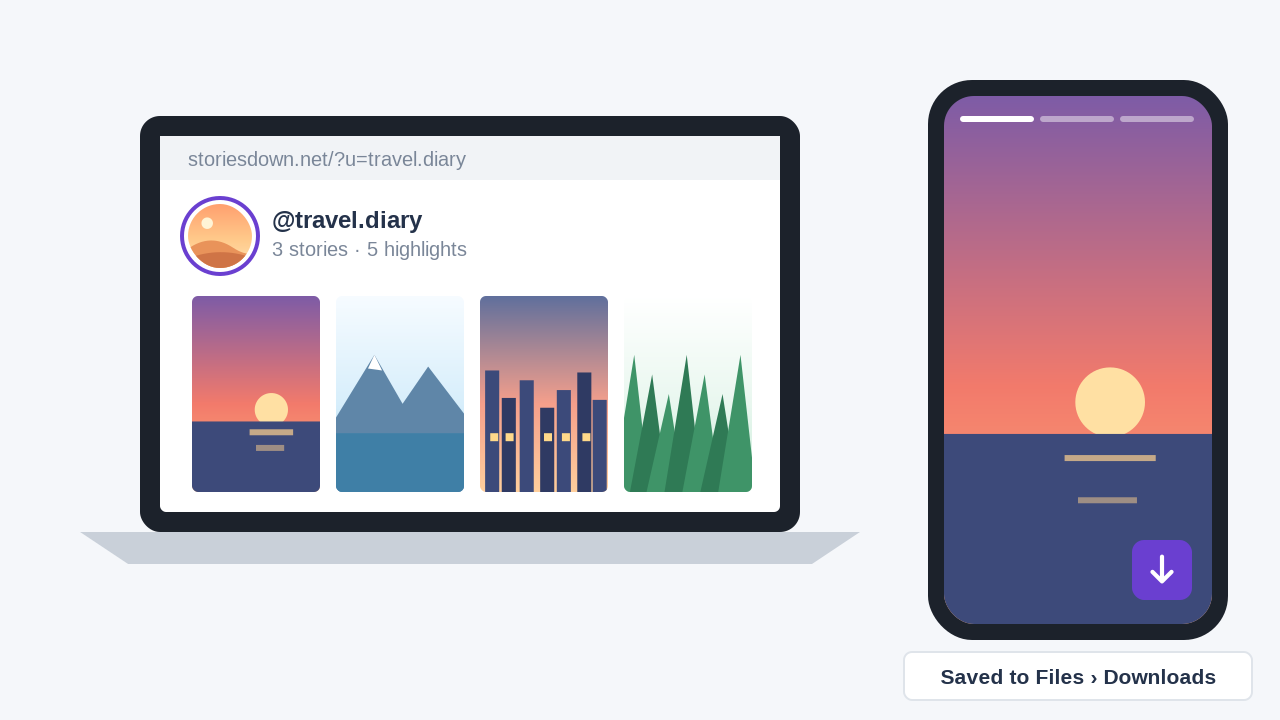
StoriesDown is a website, not an app, so there is nothing to install from the App Store or Google Play. On an iPhone or iPad, open it in Safari or Chrome; downloaded videos go to the Files app (Downloads folder), and from there you can save them to Photos. On Android, files land in Downloads and show up in your gallery app. On a Windows PC or Mac, they go wherever your browser keeps downloads.
Tip: choose Add to Home Screen in the browser's share menu and StoriesDown gets its own icon next to your apps.
What it cannot do
StoriesDown works with public accounts only and shows what Instagram shows to a visitor who is not logged in. If an account is private, has no live stories, or limits its content in some countries, you get an empty tab, not a workaround. Close Friends stories are never visible to outsiders either. When Instagram changes something on its side, a tab can stop loading for a while until we update the site.
About the name
People often search for storiesdown, stories down or storiesdown app when they want a quick way to look at Instagram stories and save them. StoriesDown at storiesdown.net is our own version of that idea: a plain story viewer and downloader with no account, no app and nothing in the way of the search box. It is not connected to Instagram, Meta or any other site with a similar name.
Frequently asked questions
Is StoriesDown free?
Yes. Every feature is free. There are no plans, credits or sign-up walls; the site is paid for by ads.
Does the account owner get notified when I watch?
No. Story views are recorded against a signed-in Instagram account, and StoriesDown never uses yours. Your name does not appear in their viewer list.
Do I need an Instagram account?
No. You only need the username, or a link to the profile, of the account you want to see.
Can I view private Instagram stories?
No. A private account is visible only to the followers it approved. StoriesDown does not get around that, and a site that claims it can is not telling the truth.
The page shows no stories. Why?
Either the account has not posted a story in the last 24 hours, the account is private, or the username has a typo. Highlights, posts and reels may still be there, so check the other tabs.
How do I download an Instagram story?
Search the username, then press the purple download button on the story tile or in the player. A video becomes an MP4 file, a photo a JPG. See the story downloader page for more detail.
Can I download Instagram highlights?
Yes. Open the Highlights tab and pick one; every item gets its own download button, and "Save all" downloads the whole highlight.
Where do downloaded files go on an iPhone?
Safari puts them in the Files app, inside Downloads. Open the file, hit the share icon and pick the option that adds it to Photos.
Does the download keep the original quality?
Yes. You get the same file Instagram serves, with no re-encoding, no watermark and no added logo.
Can I see stories from an account that blocked me?
If the account is public, StoriesDown shows its stories the same way it shows any other public account, because your own account plays no part in the lookup.
Does StoriesDown keep the usernames I search?
We do not keep a search history linked to you. The recent searches list under the search box lives only in your browser's local storage and you can delete it at any time.
Can I use StoriesDown on my phone?
Yes. The site is built for phones first and works in Safari, Chrome, Samsung Internet, Firefox and the in-app browsers of most apps.
Is it legal to view Instagram stories anonymously?
Looking at content someone has made public is generally allowed. Downloads are for personal use: ask the owner before you post their photos or videos anywhere.
How long are Instagram stories available?
24 hours from the moment they are posted. After that Instagram removes them, except the ones the owner pins to a highlight.
Does it work with reels and posts too?
Yes. Use the Posts and Reels tabs after a search, or the post viewer and reels viewer pages.
Why did a video not play?
Instagram's servers are sometimes slow or turn a request away. Press play again or use the download button; the file usually saves even when the preview fails.
More questions about Instagram story viewers
What is an Instagram story viewer?
A website or app that shows Instagram stories outside the Instagram app. An anonymous one, like StoriesDown, does it without logging in, so the account owner does not see you in their viewer list.
What should a good anonymous Instagram story viewer do?
Work without asking for your Instagram login, be honest that private accounts are off limits, let you download without a sign-up, and not push you to install an app or finish a "verification" survey.
Is there a StoriesDown app?
No, and you do not need one. StoriesDown is a website. Pin it to your home screen if you want a one-tap icon.
Does StoriesDown show the viewer list of my own story?
No. Only the Instagram app can show the viewer list of your own stories. No outside site has that list.
How do I watch Instagram stories without them knowing on iPhone?
Open storiesdown.net in Safari, type the username and press View. Nothing is installed and you stay logged out of Instagram on this page.
How do I view Instagram stories without an account on Android?
Open storiesdown.net in Chrome or any other browser, enter the username and press View. No Instagram account is needed.
Can I open an Instagram profile photo at full resolution?
Yes. After a search, tap the download icon on the profile photo, or use the profile picture downloader.
Can I download Instagram reels with sound?
Yes. Reels save as MP4 with their original audio.
Can I see old or expired Instagram stories?
Only the ones the owner pinned to a highlight. Expired stories without a highlight are deleted by Instagram and nobody can show them.
Can I paste an Instagram link instead of a username?
Yes. Profile links and story links both work; StoriesDown takes the username from the link.
Is there a daily cap on story lookups?
Not for normal use. Very fast automated requests are slowed down so the site keeps working for everyone.
Is StoriesDown safe to use?
You never enter a password, nothing is installed, and media comes straight from Instagram's own servers. Downloads are ordinary MP4 and JPG files.
Related searches
From the blog
- 2026-11-20 · 5 min
What Is StoriesDown? A Plain Guide to the Stories Down Viewer
StoriesDown is a free web tool for viewing and saving public Instagram stories without logging in. Here is what it does, what it does not do, and how to use it.
- 2026-11-21 · 5 min
Instagram Story Viewer Without an Account: How It Works and What to Expect
You can watch public Instagram stories without an Instagram account or login. This guide explains how, why the owner is not notified, and where it stops working.
- 2026-11-22 · 6 min
How to Download Instagram Stories and Highlights in Original Quality
Save Instagram stories and highlights as the original JPG and MP4 files, with sound and without a watermark. Steps for phone and computer, plus how to check the quality.
- 2026-11-24 · 5 min
Why an Instagram Story Viewer Shows "No Stories" (and Why Private Accounts Stay Private)
Getting "no stories" or "private account" on an Instagram story viewer? Here are the real reasons, what you can check, and why no tool can open private profiles.
All StoriesDown tools
Highlights Viewer
Browse saved highlights story by story, with the date each was posted.
Profile Viewer
Stories, highlights, posts, reels and the profile photo for one username.
Post Viewer
Scroll a public feed with captions, like counts and comment counts.
Reels Viewer
Play public reels with audio and see view counts. Save any reel as MP4.
Story Downloader
Save stories to your device. Photos as JPG, videos as MP4.
Profile Picture
Open a profile photo at full resolution and download it.
Check a story now
Enter a public username above. Stories load in a few seconds, and you don't need an Instagram account to see them.