Instagram Story Downloader
Save a public Instagram story as a file in its original quality. Enter a @username, tap the download button on the story, and the file saves to your device. No login and no watermark.
Original MP4 and JPG filesNo Instagram loginFree, nothing to install
How to download Instagram stories
Stories are removed 24 hours after posting, and the Instagram app has no way to save someone else's story. The StoriesDown Instagram story downloader lists the current stories of a public account, each with a download button. Photos save as JPG. Videos save as MP4 with audio. Download all saves every current story in one go.
The request is made by our server, so your browser doesn't contact Instagram and no Instagram login is used. The account owner gets no view and no alert. Highlights work the same way. Open one and download the stories in it, no matter how old.
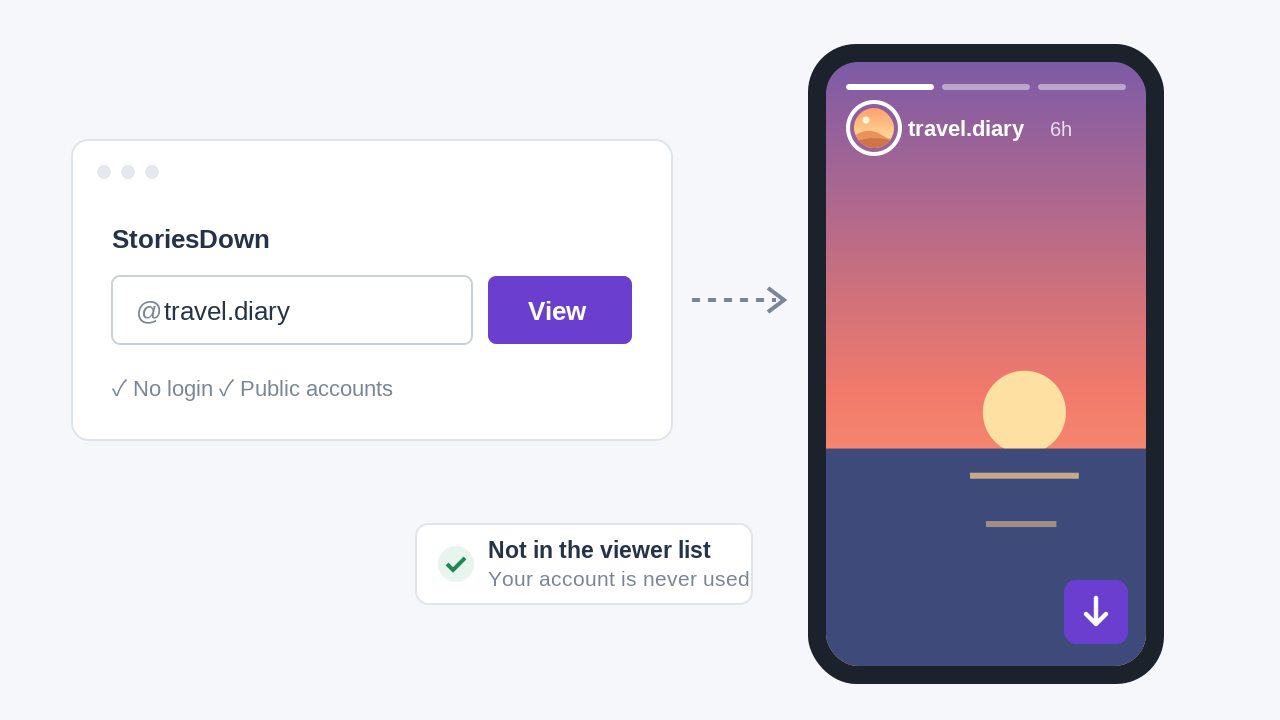
Download a story in four steps
Nothing to install.
- Copy the username. Copy the @username, profile link or story link from Instagram.
- Paste and press View. Put it in the search box above. Current stories and highlights for the public account load in a few seconds.
- Tap download. Each story has its own button. Download all grabs every current story. JPG for photos, MP4 with sound for videos.
- Find the file. iPhone: Photos or the Files app. Android: Gallery or the Downloads folder. Computer: your Downloads folder.
What the downloader saves
- Photo stories as JPG, usually 1080 × 1920 pixels.
- Video stories as MP4 with the original audio.
- Highlights from any highlight on a public profile.
- Profile photos at full size.
- No watermark. Files are saved unchanged.
- No limit. No account, no credits, no daily cap.
Quality and privacy
Some downloaders record the screen or recompress the video. StoriesDown passes on the media file Instagram serves to browsers. Resolution, frame rate and audio stay the same as the original.
No Instagram account is attached to the request, and we don't keep the file or the username you searched. Downloads are for personal use. Ask the creator before reposting anything.
Common questions
Will the owner know I downloaded their story?
No. StoriesDown fetches the story without an Instagram account, so no view is recorded and no alert is sent.
Do video stories keep their sound?
Yes. The MP4 has the same audio track as the story, music stickers included.
Is a watermark added?
No. The file is saved exactly as Instagram serves it.
Does it work on private accounts?
No. StoriesDown only works with public accounts.
Is an expired story still downloadable?
Only if the owner added it to a highlight. Expired stories that weren't saved to a highlight are deleted.
Where are downloads saved on iPhone?
Safari asks to confirm, then saves to the Files app. Photos can also go to the Photos app. Chrome on iPhone works the same way.
Is the story downloader free?
Yes. Download as many stories as you like.
Can I paste a story link?
Yes. StoriesDown reads the username from the link and loads that account's current stories.
All StoriesDown tools
Story Viewer
See the current stories of a public account. No Instagram login.
Highlights Viewer
Browse saved highlights story by story, with the date each was posted.
Profile Viewer
Stories, highlights, posts, reels and the profile photo for one username.
Post Viewer
Scroll a public feed with captions, like counts and comment counts.
Reels Viewer
Play public reels with audio and see view counts. Save any reel as MP4.
Profile Picture
Open a profile photo at full resolution and download it.
Check a story now
Enter a public username above. Stories load in a few seconds, and you don't need an Instagram account to see them.