Instagram Highlights Viewer
Highlights are stories an account saved to its profile so they don't expire. Enter a public @username to see every highlight, open the stories inside, and save any of them. No Instagram account needed.
Original MP4 and JPG filesNo Instagram loginFree, nothing to install
Viewing highlights without an Instagram login
A normal story disappears after 24 hours. A highlight stays on the profile until the owner removes it. On Instagram, opening a highlight while logged in adds you to its viewer list, the same as with a live story. The StoriesDown Instagram highlights viewer loads highlights without a login, so no view is attached to you.
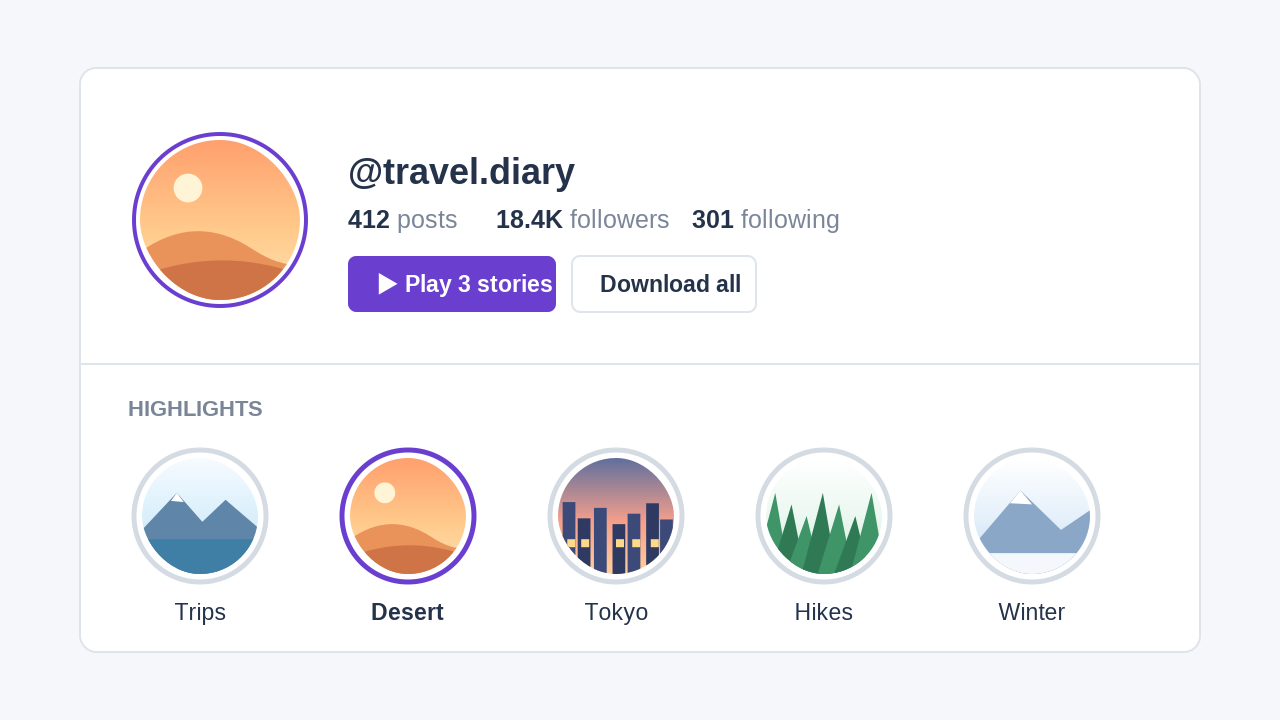
Search a username and open the Highlights tab. The highlight covers appear in a row. Choose one and its stories load in order, each marked with the date it was first posted. Photos open full size, videos play with sound, and each one has a download button.
How to open a highlight
Search, then switch tabs.
- Search the account. Enter the public @username or profile link at the top and press View.
- Go to Highlights. Tap the Highlights tab. The first highlight opens automatically.
- Pick a highlight. Tap any cover to load its stories. Each card shows the original posting date.
- Download. Use the button on a card to save that story, or Download all for the whole highlight.
Why use this highlights viewer
- No viewer entry. You don't appear in the highlight's viewer list.
- Old stories. Highlights don't expire, so stories from years ago are still there if the owner kept them.
- Original dates. Each story shows the day it was posted.
- Highlight downloader. JPG for photos, MP4 for videos, with audio.
- Play all. Watch a full highlight in sequence with progress bars.
- Browser only. No app, no login, any device.
Limits
You can only see what the owner put into a highlight. A story that expired without being added to one is deleted on Instagram's side and can't be recovered by any tool. Highlights on private accounts can't be opened either.
For public accounts, you get every highlight with the original files, sound and dates.
Common questions
Does the owner see that I viewed their highlight?
No. StoriesDown loads highlights without an Instagram account, so the viewer list never gets your username.
Can I see when each highlight story was posted?
Yes. The date is shown on every story card.
Can I download a whole highlight?
Yes. Press Download all, or save stories one at a time with the button on each card.
Why does an account show no highlights?
The owner hasn't created any, or the account is private. Private accounts can't be loaded.
Is the download the original quality?
Yes. You get the same file Instagram serves, not a re-encoded copy.
Do I have to sign up?
No. StoriesDown has no accounts and no sign-up.
Can I see posts and reels from the same account?
Yes. The Posts and Reels tabs are on the same page as Highlights.
Can I see highlights from an account that blocked me?
If the account is public, yes. A block applies to your Instagram account, and StoriesDown doesn't use it. Private accounts stay hidden.
All StoriesDown tools
Story Viewer
See the current stories of a public account. No Instagram login.
Profile Viewer
Stories, highlights, posts, reels and the profile photo for one username.
Post Viewer
Scroll a public feed with captions, like counts and comment counts.
Reels Viewer
Play public reels with audio and see view counts. Save any reel as MP4.
Story Downloader
Save stories to your device. Photos as JPG, videos as MP4.
Profile Picture
Open a profile photo at full resolution and download it.
Check a story now
Enter a public username above. Stories load in a few seconds, and you don't need an Instagram account to see them.